
 All vikis
Photo Mode
Phantom Blade Zero has no photo mode as of Nov 13, 2026, and S-Game's Nov 4 patch did not add one. On PC you can get close by setting Character Status to Always Hide and Interaction Prompts to Off under SYSTEM, Game, then capturing with Steam's F12 or Win + Alt + PrtScn. We think a photo mode arrives in a patch by Jun 2027.
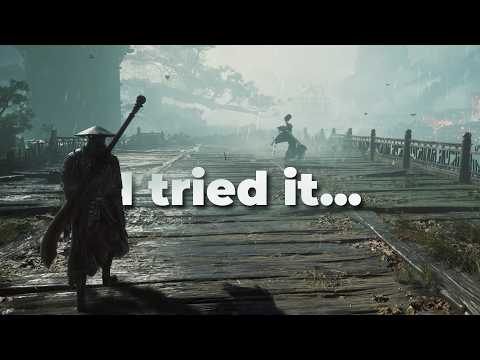
No: Phantom Blade Zero has no photo mode as of Nov 13, 2026, two weeks after launch. AllThingsHow went through the PC version's menus (updated Oct 31, 2026) and found no such option on any of the pause menu's six tabs or in the key bindings, and S-Game's only patch since, 1.0302256 of Nov 4, 2026, added hit sound sliders and a rebindable Interact key but nothing for pictures. What the game does have is a set of HUD switches that clear most of the screen, and the capture key of whatever you play on.
Next: the eight looks worth photographing, and how to unlock them, the settings that make a still look its best or what S-Game has added since launch.
Clean screenshots on PC
AllThingsHow's steps, from the released PC build:
- Press Esc, open the SYSTEM tab and stay on its first sub-tab, Game. Scroll to the HUD section.
- Set Character Status from Auto-Hide, the default, to Always Hide. The game describes the setting as "Controls how HUD elements are displayed."
- Set Interaction Prompts to Off.
- Look at Enemy HP Bars, which ships on Always Show, and change it if a bar would sit in the frame.
- Take the picture with Steam's overlay key (F12 unless you changed it) or with the Windows Game Bar, Win + Alt + PrtScn. The game has no screenshot key of its own.
NIXNE's settings guide of Oct 30, 2026 opens on the same HUD options: he turns Low HP Warning off because it "will just clean up the HUD", and sets Enemy HP Bars to hide at full HP, so "you don't have a bunch of HP bars on screen".
Two limits follow from how that works. The camera stays the game camera, so there is no free movement, no pause in mid-swing, no depth of field and no hiding Soul; you frame a shot by where you stand and when you press the key. And "most of the HUD" is AllThingsHow's wording, not "all": it does not list what remains.
Resolution and window mode sit under SYSTEM, Display, and DLSS and the other image options under SYSTEM, Graphics, if you want to raise quality for a still and lower it again to play.
On PS5
Nobody we could find has tested the PS5 version for a photo mode, and the one account above covers PC only. The patch that both platforms received on Nov 4 lists no photo mode for either, and the menus are the same game, so we think the answer on PS5 is the same no, with the console's own Create button standing in for F12. Treat that as our reading until someone checks the PS5 menus in print; Platforms has what is confirmed about that version.
Where the menu would be
The pause menu's tabs are MAP, QUESTS, CHARACTER, ITEMS, ARCHIVES and SYSTEM, and SYSTEM splits into Game, Controls, Audio, Display, Graphics, Help and Quit Game. The Camera group in the bindings holds only Rotate Camera and Lock On. That last detail matters for anyone hoping a hidden key exists: there is no unbound "photo" action waiting for a key.
The CHARACTER tab is as close as the game comes to a showroom. Its Appearance page is where Soul's look is changed (Outfits), and it shows him at rest.
Will S-Game add one?
S-Game has said nothing either way: none of its six Steam announcements from Dec 2025 to the Nov 4 patch notes, read on Nov 13, 2026, mentions a photo mode.
We think S-Game adds a photo mode to Phantom Blade Zero in a free patch by the end of Jun 2027.
Confidence: Possible. Check by: Jun 2027.
Why we think so: the first patch came six days after launch and spent part of its short list on comfort options (two sound sliders, a rebindable key), so the studio is taking small requests; the switches that hide the HUD already exist, which is half of a photo mode; and this is a game sold on how its fights look, by a studio that published its own motion-capture and art material before launch (Development). What would prove us wrong: no photo mode in any patch notes by Jun 30, 2027.
Sources
- Does Phantom Blade Zero Have a Photo Mode? How to Take Clean Screenshots, AllThingsHow, updated Oct 31, 2026, read Nov 13, 2026
- Phantom Blade Zero - Patch Notes (Version 1.0302256), S-Game on Steam, Nov 4, 2026, read Nov 13, 2026
- Phantom Blade Zero announcements, S-Game on Steam, read Nov 13, 2026
- Phantom Blade Zero - Best Settings Guide 16 Things to Change Now!, NIXNE, Oct 30, 2026 (video)
Moments
Phantom Blade Zero - Best Settings Guide 16 Things to Change Now!
NIXNE
Photos
Related
-
 DemoTen days after launch (Nov 9, 2026) there is still no demo of Phantom Blade Zero on PS5 or PC, and none has been announced; a demo page that appeared on the Chinese PlayStation Store around Aug 11, 2026 was pulled. Every playable build before launch was shown at events (the 2024 World Tour Demo, GDC 2025, the 2025 S-Party, gamescom, CES and Summer Game Fest) or to the press.
-
 Editions and Pre-order BonusesPhantom Blade Zero comes in two editions, the Standard Edition at $59.99 and the Digital Deluxe Edition at $69.99, which adds the Wulin Legend and Blood-Steel Form outfits, a digital artbook and the soundtrack. Pre-orders unlocked the Treasure Basin accessory and the Legacy outfit early, and both can be earned in play; neither edition had early access. Outside China it is a download only until Standard, Deluxe and Ultimate physical PS5 editions arrive in 2027.
-
 How Long to BeatPhantom Blade Zero's main story averaged 24¾ hours and a run with side content 43½ on HowLongToBeat on Nov 13, 2026. Director Soulframe Liang had said about 20 to 30 hours for the main story in Dec 2025, and a full playthrough "around 25 to 30 hours" for an experienced player who does not get stuck on bosses (Oct 2026). One reviewer took about 40 hours, and the Platinum takes 30 to 40. The game has 11 chapters, four documented endings, a New Game Plus with no new story, and a Platinum trophy that can be earned in one run.
-
 Release Date and TimePhantom Blade Zero came out on Thursday, Oct 29, 2026 on PlayStation 5 and PC (Steam and the Epic Games Store), the evening of Wednesday, Oct 28 in the US and select regions. It unlocked everywhere at one moment, 2:00 a.m. UTC on Oct 29 (10 a.m. Beijing time, 7 p.m. PT on Oct 28), after a delay from Sep 9, 2026. Its Steam player count peaked at 833,479 on Sunday, Nov 1, 2026, and its first post-launch patch (1.302.289 on PS5, 1.0302256 on PC) came on Nov 4.
-
-
 Bosses by the NumbersPhantom Blade Zero has 62 boss fights on Game8's list (31 required, 31 optional) against director Liang's "at least 50". On Nov 13, 2026, 85.4% of Steam players had beaten Peng Meng and 29.3% the last required boss, Meng Hua; the biggest drop between two required bosses, 10.3 points, lies between Mu Xiaokui and Flame. Chapter 5 holds the most required bosses, six, and Meigu Lake the most optional ones, nine.
-
 Chief Disciple of the Seven StarsThe Chief Disciple of the Seven Stars leads the Seven-Star Sword Formation, the Phantom Blade Zero boss of S-Game's Year of the Snake trailer (Jan 21, 2025) and of its 2025 S-Party demo. Seven swordsmen fight as one, then the surviving disciples hang their leader on crimson threads like a marionette for a second phase, the Chief Disciple's Fallen Hope, which the Red Wraith joins if Soul spared her earlier.
-
Hardest BossesThe Gold-Masked One is the boss players most often call the hardest in Phantom Blade Zero, with 256 of 534 votes in Game8's reader poll on Nov 12, 2026, while Game8's editors rank Yucong, No. 34 Twisted Puppet first and PCGamesN's guide writer picks Lei Dang. Steam's counts show that the optional fights stop few players, and that the first weapon boss, Peng Meng, is where runs end.
See also
-
 OutfitsPhantom Blade Zero has eight outfits for Soul. Two are worn from the start, two belong to the Digital Deluxe Edition, and four are tied to finishing the game: The Hunt, Kindred, Blizzard and Legacy. Guides disagree on which ending gives Blizzard, and one finished run got it with the True Ending. All eight are cosmetic and are changed under Character, Appearance.
-
 PC System RequirementsPhantom Blade Zero needs at least a GTX 1660 6GB or RX 5500 XT 8GB, a Core i7-8700K or Ryzen 5 3600 and 16 GB of RAM for 1080p at 30 fps with upscaling; S-Game recommends an RTX 3060 Ti or RX 6700 XT with a Core i5-10600K or Ryzen 5 5600X for 1440p at 60 fps, an RTX 5060 for ray tracing and an RTX 5080 for path tracing. It needs Windows 10 or 11, an SSD and about 145 GB. The best settings start at High, with Motion Blur off under Frame Generation and NVIDIA driver 617.42. Patch 1.0302256 (Nov 4, 2026) cut PC startup times, and on Nov 9, 2026 Valve rated it Playable on Steam Deck and Verified on the Steam Machine.
-
-
 PlatformsPhantom Blade Zero is out on PlayStation 5 and PC only (Steam, the Epic Games Store and WeGame in China) since Oct 29, 2026. PS5 and PS5 Pro have three graphics modes (Performance at 60 fps, Balanced at 40, Graphics at 30), and Digital Foundry recommends Performance on both. No Xbox, Switch 2, PS4 or Mac version has been announced as of Nov 9, 2026; Valve rates it Playable on Steam Deck and Verified on its Steam Machine, and both platforms took the Nov 4 patch.
-
 DevelopmentPhantom Blade Zero is developed and published by S-Game, a Beijing studio of about 140 people led by its founder and director Soulframe Liang, in Unreal Engine 5. Planned from 2017, it began as a console and PC game when S-Game turned away from mobile games in 2021, entered full production in 2022, was finished on Aug 6, 2026 and came out on Oct 29, 2026.
-
Completion RateOn Nov 12, 2026, two weeks after launch, 26.3% of Phantom Blade Zero's Steam players had beaten the last required boss, up from 21.9% three days earlier, and 8.5% had every achievement. The early steps have settled, with about 15% never passing the Outpost, while every late step still gains about a point and a half a day.